
How to Backwash a Sand Filter

Post Summary:
Backwashing a sand filter is a fairly straightforward thing. Turn off the pump. Empty the skimmer baskets and trap basket before backwashing...
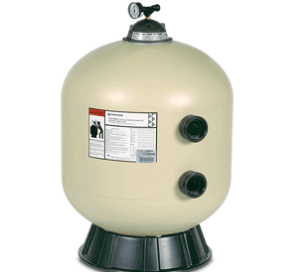
Detailed instructions for backwashing a sand filter
Backwashing a sand filter is a fairly straightforward thing:
Turn off the pump.
Empty the skimmer baskets and trap basket before backwashing.
Make sure there is enough water in the pool. Backwashing a sand filter consumes a lot of water.
Make sure that there is nothing blocking the path of the backwash water. In other words, make sure that the backwash line is not clogged with ice, or valved off.
Put the backwash valve in “backwash” mode.
Turn the pump on, keeping a close eye on the pressure gauge on the filter. If the pressure jumps to 30 psi or above, turn the pump off and check for blockage.
Allow the pump to run in backwash mode until the effluent (backwash water) runs clear.
Turn the pump off and put the backwash valve back in “filter mode”, then turn the pump back on. If you have a multiport backwash valve, then run the system with the backwash valve in “rinse” mode for 30 seconds before putting the system back in “filter” mode.
Always turn the pump off before changing the position of the backwash valve.


Comments